How Do You Change the Code on Your Commercial Door Lock?
The process of changing the code on a commercial door lock is one important strategy for ensuring tight security for any given business. Whether it is updating the code regularly, for security purposes or replacing it following the turnover of some employees, understanding the process ensures that your premises are secure. Below is a clear guide on how to change the code on various types of commercial door locks.
Types of Commercial Door Locks
Commercial door locks will run the gamut from mechanical push-button locks to the latest electronic keypad and smart locks. How you’ll be required to change your code is based on the kind of lock you have installed.
Mechanical Push-Button Locks
Such locks are popular due to the ease and reliability associated with them. Here is how to change the code:
- Identify the Type of Lock: Before you start, identify the make and model of your mechanical lock. Refer to the manufacturer’s manual for specific instructions.
- Get into the Code Chamber: Most mechanical locks have a code chamber that faces the back of the lock. This may need removal from the door for access.
- Resetting the Code: On entering the chamber, you will see a series of push-button configurations. Using the tool that the manufacturer would have provided with it, reset the code using buttons/switches arranged to the new combination.
- Reassemble the Lock: Now set a new code and reassemble the lock back again. Test the new combination quite a few times to see if everything is working well.
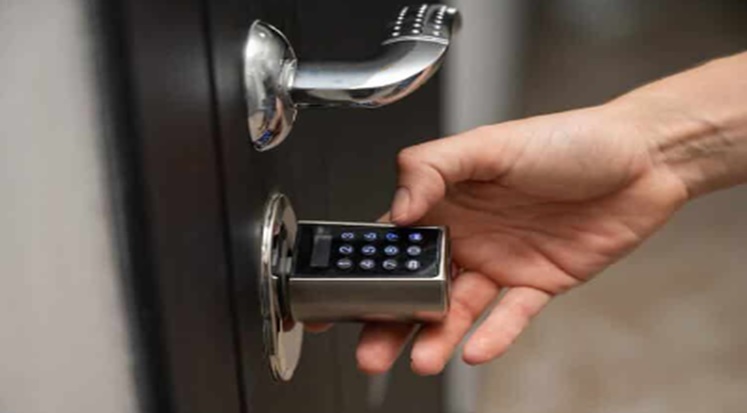
Electronic Keypad Locks
The electronic keypad locks are sophisticated in security features and find extensive applications in commercial settings. Here’s how to change the code:
- Enter Programming Mode: Most of these locks require one to enter a master code to enter into the programming feature. Refer to the lock’s manual for specific sequences used to attain this.
- Select Code Change Option: Use the Keypad to scroll through the options available in the menu. You may find it under “Change Code” or a similar caption.
- Enter New Code: At the prompt, enter the new code. Some may want this code to be entered twice as a means of confirmation.
- Save and Exit: Save the new code and then leave the programming mode. Test the new code to see that it is working properly.
Smart Locks
Smart locks provide maximum flexibility and are often controlled through smartphone apps or web interfaces. Here is a general way of changing the code:
- Open the app/interface: Log in to the application on your smartphone/computer that controls the locking mechanism.
- Code management: Within this, locate where you can manage your own access codes. Many of these are placed either in the settings or security options.
- Add/Change Code: Do what the screen prompts you to do to add a new code or update an existing code. Some allow you to have automatic expiration.
- Save Changes: Save the new code settings and test the new code for proper functionality.
Important Tips
- Regular Updates: Regularly update your door lock codes for security purposes, especially after employee changes.
- Documentation: Keep a record of who has access to the new codes and ensure that only authorized personnel change the codes.
- Consult the Manual: You must, therefore, consult the original manual by the manufacturer for specific instructions that relate to your particular lock model.
Conclusion
Changing the code on your commercial door lock is pretty simple and fundamental for the security of your business. You will be able to keep your business safe by running the correct steps for the lock in question. Frequently changing an access code and limiting access to the code changes themselves are going to serve to secure business premises and assets. If you experience complications, consult a professional locksmith to ensure that your locks are serviced and installed properly to provide security.
This post was written by a professional at Keypad locksmith. Keypad locksmith is a mobile local locksmith in Maryland that specializes in combination locks, keypad locks, decorative locks and safes and lockbox services. We also offer regular locksmith services near you, such as eviction lockout or lock change near you, re-key, lock installation, door frame adjustments, change of battery or repair to locks and Detex alarm, to commercial and residential properties and vehicle emergencies. Contact us now to request to get the best locksmith services near you today!